What it is
Santa Caught on Camera is an AI Christmas scene styled like a fixed security-camera recording. Choose Porch prank for two adult photos, or Living room for one photo of the room and tree. The porch version stages a parcel surprise; the indoor version adds a fictional Santa gift visit to a familiar home.
Our template now offers both a two-person Porch prank and a Living room version. The default porch scene uses two adult photos for Santa and the parcel taker. The indoor scene uses a photograph of the room itself. Choosing the version first is essential: a selfie does not describe your furniture, and a room photo does not identify two performers.
These are AI-generated Christmas edits, not real security recordings or live Santa calls. We have not established a single first creator for every scene sold or shared under the Santa cam name.
How does the Santa porch prank work?
The porch version starts with Santa holding still near the camera like a decoration while another adult approaches a parcel. Santa moves, the parcel taker recoils and the surprise resolves without a chase or physical contact. The joke depends on the change from decoration to performer, so the opening pause is part of the payoff.
Your first photo supplies Santa’s identity and the second supplies the parcel taker. The current scene keeps Santa in the foreground so the face is easier to recognize. Use clear, separate photos and compare the selected sample for the costume and camera placement. It is not a hidden-camera recording of a real package theft.
How do I put Santa in my own living room?
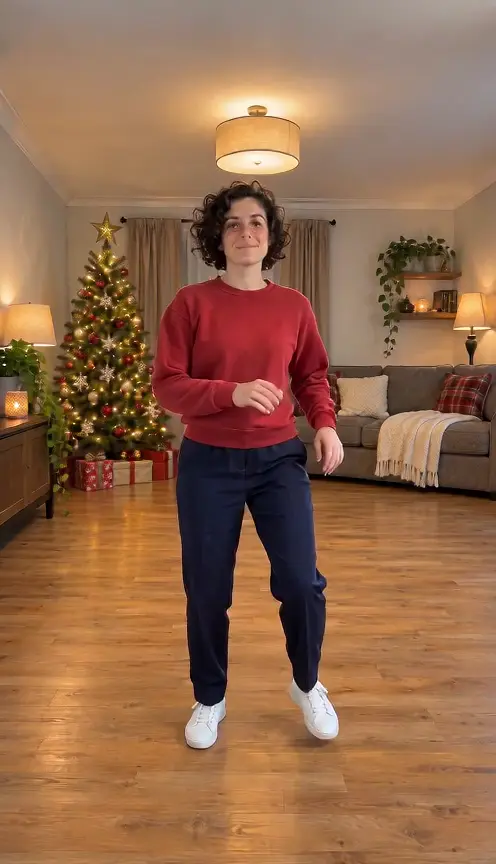
Choose Living room, then photograph the room with the Christmas tree and enough floor visible for Santa to enter, crouch and leave a present. An empty route from the edge of the frame is more useful than a close-up of decorations. A wider view lets the room remain recognizable while the action has somewhere to happen.
The room photo is an environment reference. It does not cast the person taking the photo as Santa, and you do not need to include a family member in the scene. Small objects, furniture geometry and lighting can change during generation, so inspect the result if preserving a particular part of the room matters to the greeting.
Is a doorbell prank the same as a Santa sighting?
They share a camera style but tell different stories. A doorbell prank needs a performer, an arriving person and a readable reaction. A living-room sighting needs a familiar home, a believable route through it and a gift-delivery moment. Using the wrong inputs can produce an attractive picture that still misses the idea you wanted.
This distinction is also useful when browsing examples elsewhere. A clip with a seated porch Santa does not demonstrate that the same tool will preserve your indoor furniture. Judge the example for the specific version you plan to make, rather than treating “Santa caught on camera” as one universal scene.
What sound and details should I check?
The room version is designed around a brief Christmas greeting and quiet room sounds; delivery and mouth movement can vary. The porch version has its own soundtrack configuration. Use the selected version’s controls and preview to judge the audio, rather than assuming every Santa scene contains the same voice or song.
Look at the present when Santa places it down, the parcel during the porch reaction and the face when a performer turns. A convincing fixed camera does not guarantee perfect hands or object contact. If you add a greeting or recipient name as edited text, you can control the spelling without depending on generated lettering inside the scene.
What do the porch and living-room samples show?
The porch sample keeps Santa close to the camera while a black-clad adult lifts the parcel behind him. Santa turns, the other performer reacts and the parcel returns to the porch. The living-room sample uses a wide fixed view of the tree and fireplace, with Santa entering and crouching near the tree with a present. The sample at the top of this page shows the porch version; the linked template has the indoor preview.
These examples demonstrate two different camera stories and explain why their uploads differ. They do not establish exact preservation of every room detail, face, hand or present. For your own output, inspect the selected scene and its audio through the ending rather than expecting the porch sample to prove an indoor result.
How to play it
Choose Porch prank for two person photos, or Living room for one clear room photo. Check the selected preview before uploading.
For the porch scene, assign Santa and the parcel taker to their separate slots. For the room scene, show the tree, floor and a clear route for Santa.
Watch the complete output, check the faces or room layout and listen to the selected version’s sound. Share the scene as a playful AI edit.
Three steps to make it
1. Choose the camera scene
Decide whether you want the porch surprise or the indoor gift visit; they use different inputs.
2. Add the matching photos
Use separate adult photos for the porch cast, or one room photo for the indoor scene.
3. Review the whole clip
Check the parcel, present, faces, room and sound before downloading and sharing.
Example
For the room scene, “The living-room camera finally caught something useful” gives the familiar tree a playful role. For the porch scene, “The decoration had other plans” introduces the surprise. Keep captions away from the parcel and the faces so a viewer can understand the joke without reading a second explanation.
More practical guides
Related memes

FAQ
What is Santa Caught on Camera AI?
It is a generated Christmas scene styled like a fixed security-camera recording. Our template offers a two-person porch prank and a room-photo gift visit.
Do I upload a room photo or a selfie?
Choose the version first. Porch prank uses two separate adult photos, while Living room uses one photograph of the room without people.
Can I make Santa appear in my own living room?
Yes. Select Living room and upload a clear room photo with the tree, floor and walking space visible. Fine layout details may change.
Can two friends do the Santa porch prank?
Yes. The first photo supplies Santa and the second supplies the parcel taker. Use a clear individual photo for each role.
Is this a live Santa video call?
No. It produces a generated MP4 to preview and download. It is not a live or interactive call.
Is the camera footage real?
No. The scene is AI-generated. Identify it as a fictional Christmas edit when sharing.